Craig CHT940DO Sound Bar Control App: Complete Guide to Control, Bluetooth, Setup and Troubleshooting
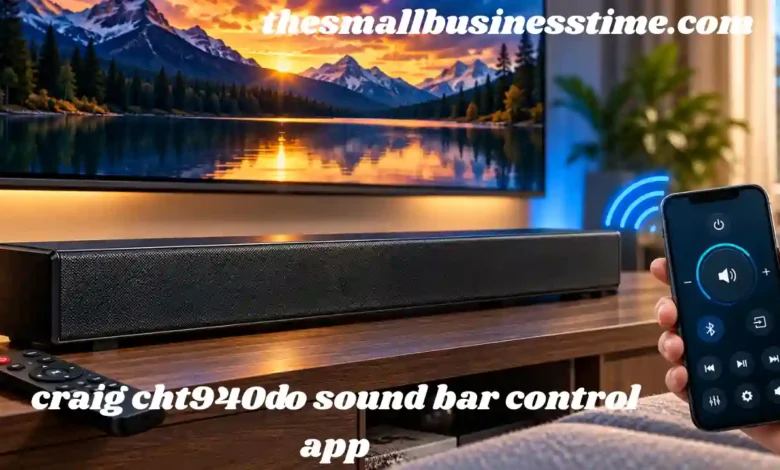
The craig cht940do sound bar control app is a search term that many Craig sound bar owners may come across when looking for a convenient way to control their audio system from a smartphone. If you own the Craig CHT940DO 37-inch stereo sound bar and want to control it without constantly searching for the physical remote, understanding how this model actually works is important. The CHT940DO was designed with Bluetooth connectivity, multiple wired audio inputs, FM radio functionality, buttons on the sound bar itself, and a dedicated infrared remote control. The available owner’s manual describes these control methods but does not document a dedicated official smartphone application specifically made for the CHT940DO.
This distinction matters because there are many articles and search results online that describe a supposed Craig CHT940DO mobile application with features such as advanced equalizers, custom profiles, virtual surround controls, and smartphone-based power management. Those features should not automatically be assumed to be available on the CHT940DO simply because they are mentioned on third-party websites. The safest approach is to use the functions that are actually documented for the model and understand what Bluetooth can and cannot do.
The Craig CHT940DO is a 37-inch stereo sound bar system with digital optical input and Bluetooth wireless technology. It also provides AUX inputs and an FM antenna connection. Its physical remote offers controls for power, source selection, volume, mute, equalizer presets, bass, treble, playback, and radio functions.
What Is the Craig CHT940DO Sound Bar Control App?
When people search for the craig cht940do sound bar control app, they are generally looking for a smartphone application that can replace the original remote control. In theory, such an application would allow a phone to adjust volume, change sources, control playback, modify bass and treble, or switch between different sound settings.
However, the official-style documentation available for the CHT940DO does not identify a dedicated mobile application as part of the sound bar’s operating system. Instead, the manual specifically describes a supplied remote control and Bluetooth pairing with external devices.
That means owners should be careful when searching for an application with the exact model number. An application claiming to be a dedicated CHT940DO controller should not be considered official merely because the model name appears in its title. It is important to distinguish between a genuine manufacturer application, a generic universal remote application, and an ordinary Bluetooth audio application.
The CHT940DO’s Bluetooth function is primarily intended for wireless audio playback. In other words, a smartphone can pair with the sound bar and send music or other audio to it. Bluetooth pairing does not necessarily mean that the smartphone can operate every button or function on the sound bar.
This is one of the most important points to understand about the craig cht940do sound bar control app search. Bluetooth audio streaming and Bluetooth remote control are two different technologies and should not be treated as the same thing.
Understanding the Craig CHT940DO Control System
The Craig CHT940DO provides several ways to operate the system. The top panel includes physical controls, while the supplied remote provides additional functionality. The sound bar can also receive audio wirelessly through Bluetooth.
The physical controls include power/source functionality, volume controls, playback control, and tuning controls. The remote provides a more extensive selection of buttons. According to the owner’s manual, the remote includes SOURCE, power, PRESET, tuning and track controls, memory selection, equalizer, volume, bass, treble, mute, and play/pause functions.
This setup means that users do not necessarily need an application to operate the basic functions of the sound bar.
For example, if you want to increase the volume, the VOL+ button on the remote or the physical volume control on the unit can be used. If you want to change the source, the SOURCE button can cycle through the available modes.
The documented source options include Bluetooth, FM radio, AUX 1, AUX 2, and optical input.
Why People Search for a Craig CHT940DO Sound Bar Control App
The interest in a craig cht940do sound bar control app is understandable. Smartphone control is convenient, especially when the original remote has been lost or damaged.
Modern sound bars often provide companion applications that can change settings from a phone. As a result, users sometimes assume that an older Bluetooth-enabled sound bar must also have an application.
There are several common reasons someone might search for the app.
One reason is a missing remote. If the physical remote is no longer available, using a phone as a replacement can sound like the easiest solution.
Another reason is convenience. A smartphone is usually nearby, whereas a small remote can easily disappear between cushions or become misplaced.
A third reason is Bluetooth. Because the CHT940DO supports Bluetooth, users may reasonably wonder whether the Bluetooth connection can also be used to send control commands.
The answer depends on how the device was designed. Bluetooth audio allows a compatible phone, tablet, or computer to send sound to the CHT940DO. The manual documents Bluetooth pairing and playback, but it does not describe Bluetooth-based smartphone remote functionality.
Bluetooth on the Craig CHT940DO
Bluetooth is one of the most useful wireless features of the CHT940DO. Instead of connecting a phone with an AUX cable, users can pair a compatible device with the sound bar and play audio wirelessly.
To begin, the sound bar should be powered on and switched to Bluetooth mode. The external device can then search for available Bluetooth devices and select the appropriate sound bar connection.
Once paired, music can be played from the connected device. The manual also describes using the sound bar’s track controls for skipping tracks and the play/pause button during Bluetooth playback.
Bluetooth therefore provides an easy way to use the CHT940DO as a wireless speaker.
However, Bluetooth should not be confused with an app-based control interface. If your phone connects successfully but does not display buttons for bass, treble, source selection, or power control, that does not necessarily mean Bluetooth is malfunctioning. Those functions may simply not be exposed through the Bluetooth audio connection.
How to Pair a Phone With the Craig CHT940DO
Pairing the CHT940DO with a phone is useful when the goal is wireless music playback.
First, turn on the sound bar. Use the POWER/SOURCE control to select Bluetooth mode. The sound bar should enter its Bluetooth operating state.
Next, open Bluetooth settings on your smartphone. Make sure Bluetooth is enabled and allow the phone to scan for nearby devices.
When the Craig sound bar appears as an available device, select it and wait for the pairing process to complete.
After pairing, open a music application or another audio source on the phone and start playback. The sound should be transmitted through the sound bar.
If the phone connects but no sound is heard, check the volume on both devices. Also confirm that the sound bar is actually set to Bluetooth mode rather than AUX, FM, or optical input.
The CHT940DO manual specifically describes Bluetooth as a playback connection for compatible devices.
Can a Smartphone Replace the Physical Remote?
This is one of the biggest questions associated with the craig cht940do sound bar control app keyword.
A smartphone can replace some types of remote controls when the equipment supports a compatible control protocol. For example, some modern sound bars communicate with mobile apps over Wi-Fi or Bluetooth.
The CHT940DO documentation, however, describes a dedicated physical remote control rather than a smartphone application. The remote contains controls that are not necessarily available through ordinary Bluetooth audio pairing.
A phone with a generic infrared transmitter may potentially operate some infrared-controlled equipment if a compatible code exists, but this depends entirely on the phone hardware and the application’s device database. Many modern smartphones do not contain an infrared transmitter at all.
Therefore, installing a random sound bar remote application does not guarantee compatibility with the CHT940DO.
Using the Original Craig Remote
For complete access to the documented controls, the original remote remains the most straightforward solution.
The CHT940DO remote provides several important controls. These include power, source selection, volume, mute, equalizer, bass, treble, playback, tuning, presets, and other functions.
The remote uses a CR2025 button cell according to the owner’s manual. When replacing the battery, the correct battery type and polarity should be observed.
If the remote stops responding, the first step should be checking the battery. The user should also make sure that nothing is blocking the remote sensor on the front of the sound bar.
Because the CHT940DO is an older model, replacement remotes may be easier to find through general electronics or replacement-remote sources than an official smartphone application.
Craig CHT940DO Equalizer and Sound Controls
Another reason users may search for a craig cht940do sound bar control app is the desire to change sound settings from a phone.
The CHT940DO provides equalizer presets through the remote. The documented modes include JAZZ, POP, CLASSIC, ROCK, and NORMAL.
Bass and treble can also be adjusted using dedicated buttons.
These controls can be useful for different listening situations.
For music, a user may prefer an equalizer setting that provides more emphasis on bass or musical detail. For spoken content, reducing excessive bass and increasing clarity through the available tone controls may produce a more comfortable result.
For movies, the preferred settings may depend on the soundtrack and room.
The important point is that these adjustments are documented as remote-control functions rather than as features of a dedicated mobile app.
Craig CHT940DO Optical Input
The CHT940DO also supports optical digital audio input. This can be useful when connecting a television, DVD player, or another compatible audio/video device.
The manual describes connecting an optical output from an external device to the sound bar’s OPTICAL IN connection. After making the connection, the sound bar should be switched to the optical input using the source controls.
If the television provides a picture but no sound, the manual notes that the digital audio output may need to be configured to PCM.
This is particularly useful for users who are troubleshooting a TV connection. Before assuming that the sound bar itself is defective, checking the television’s digital audio output setting can resolve compatibility problems.
Craig CHT940DO AUX Inputs
In addition to Bluetooth and optical audio, the CHT940DO includes AUX connections.
AUX 1 is intended for compatible external audio devices using a 3.5 mm connection. A smartphone, portable music player, or similar source can be connected with an appropriate audio cable.
AUX 2 provides connections for external audio/video equipment through the appropriate analog connections.
After connecting a device, the sound bar must be switched to the corresponding input source. If the wrong source is selected, the sound bar may appear to be working normally while producing no audio from the connected equipment.
What to Do if You Cannot Find the Craig CHT940DO Sound Bar Control App
If you have searched for the craig cht940do sound bar control app and cannot find a verified application, there is an important distinction to make.
Do not assume that every application mentioning the CHT940DO is officially associated with Craig.
The available owner documentation does not identify a dedicated smartphone controller for this model. Instead, it documents the physical remote and Bluetooth audio functionality.
If your main objective is playing music from your phone, you do not need a dedicated control app. Bluetooth pairing is the relevant feature.
If your objective is replacing the physical remote, a compatible replacement remote or a suitable universal remote solution may be more practical than searching endlessly for an application.
If you are considering a third-party APK, caution is especially important. An application should not be installed merely because its name contains the model number. Unknown applications can create unnecessary security and privacy risks.
Troubleshooting Bluetooth Problems
Bluetooth problems can sometimes make users believe they need a special control application.
If the sound bar does not appear in the phone’s Bluetooth list, start by checking that the sound bar is actually in Bluetooth mode.
If another device is already connected, disconnect it before attempting a new pairing.
If pairing fails repeatedly, turn Bluetooth off and back on on the phone. It can also help to restart both devices.
Make sure the phone is reasonably close to the sound bar during the initial pairing process.
If pairing succeeds but audio does not play, check the selected output device on the smartphone. The phone may still be sending audio through its internal speaker or another Bluetooth device.
The CHT940DO manual identifies Bluetooth pairing and playback as part of the unit’s normal operation.
Troubleshooting No Sound
If the sound bar powers on but produces no audio, begin with the basics.
First, check the volume level.
Second, verify the input source.
Third, make sure the connected device is actually playing audio.
For Bluetooth, confirm that the phone is connected to the correct sound bar.
For AUX, verify that the cable is connected correctly and that AUX 1 or AUX 2 is selected.
For optical, confirm that the optical cable is properly inserted and that the television or external device is configured for an appropriate digital audio format.
The owner’s manual lists incorrect input selection, minimum volume, connection problems, and playback status among possible causes of no sound.
Troubleshooting Distorted Sound
Distortion does not automatically mean that the CHT940DO needs an application or firmware update.
Start by lowering the volume on the sound bar and the connected device.
If bass is set very high, reduce the bass level.
A heavily boosted low-frequency signal can cause distortion, especially at high volume levels.
The CHT940DO troubleshooting information recommends reducing the bass and overall volume when distortion occurs.
It is also worth testing another audio source. If Bluetooth audio sounds distorted but an optical or AUX connection sounds normal, the problem may be related to the source device or its audio settings.
Is There an Official App for Every Craig Sound Bar?
No assumption should be made that all Craig sound bars use the same control system.
Different models can have different hardware, connectivity options, and remote-control designs.
The CHT940DO documentation identifies its specific functions and accessories. The manual describes the 37-inch sound bar, Bluetooth, FM radio, optical input, AUX inputs, and physical remote.
Therefore, an application designed for another Craig sound bar should not automatically be expected to work with the CHT940DO.
Always check the exact model number before attempting to use a third-party controller.
Craig CHT940DO Sound Bar Control App: What Users Should Know
The main lesson from researching the craig cht940do sound bar control app is that the model’s documented features should be separated from claims made by third-party websites.
The CHT940DO clearly supports Bluetooth audio playback. It also provides a dedicated remote with extensive controls, physical controls on the sound bar, FM radio functionality, AUX inputs, and optical input.
What is not clearly documented is a dedicated official smartphone application specifically designed for the CHT940DO.
That does not make the sound bar difficult to use. In fact, the available controls cover the main functions most users need.
For wireless music, Bluetooth is the key feature. For detailed control of the sound bar itself, the original remote provides the documented control interface.
Best Way to Use the CHT940DO Today
For someone who owns this sound bar today, the most practical approach is to first determine what type of control is actually needed.
If you want to play music from a smartphone, use Bluetooth.
If you want to connect a television digitally, use the optical input and check the television’s digital audio settings if necessary.
If you want to connect an older audio device, AUX may be suitable.
If you want to listen to radio, the built-in FM functionality can be used.
If you need bass, treble, equalizer, mute, source, and other detailed controls, the supplied remote is designed for those functions.
This approach is generally more reliable than downloading an unverified application that claims to control the model.
Frequently Asked Questions About Craig CHT940DO Sound Bar Control App
Does the Craig CHT940DO have a dedicated control app?
The available CHT940DO owner’s documentation does not document a dedicated smartphone control application. It documents Bluetooth audio playback and a physical remote control.
Can I connect my Android phone to the CHT940DO?
Yes. The CHT940DO supports Bluetooth wireless technology and is designed to receive audio from compatible Bluetooth devices.
Can Bluetooth completely replace the Craig remote?
Bluetooth pairing primarily provides wireless audio playback. It should not automatically be considered a replacement for every function available on the physical remote.
How can I change bass and treble?
The CHT940DO remote includes dedicated BASS and TREBLE buttons for adjusting those settings.
What equalizer modes does the CHT940DO support?
The documented equalizer modes include JAZZ, POP, CLASSIC, ROCK, and NORMAL.
Does the CHT940DO support optical audio?
Yes. The sound bar includes an optical input and the manual provides instructions for connecting compatible external devices through it.
What should I do if I lose the remote?
Because the available documentation describes the physical remote as the primary detailed control interface, look for a compatible replacement or universal remote solution rather than assuming that a random mobile application will work.
Final Thoughts on the Craig CHT940DO Sound Bar Control App
The search for a craig cht940do sound bar control app can be confusing because smartphone-controlled sound bars have become common, while the CHT940DO belongs to an older generation of audio equipment. The model does provide Bluetooth, but the documented purpose of Bluetooth is wireless audio playback rather than operation through a dedicated smartphone control application.
The CHT940DO remains relatively flexible because it combines Bluetooth, optical input, AUX connections, FM radio, physical controls, and a dedicated remote. The remote provides access to functions such as volume, source selection, equalizer modes, bass, treble, mute, playback, and radio controls.
ALSO READ : Apparatus Dew Point – Meaning, Calculation, Measurement, HVAC Applications, and Importance